How To Add custom Zip code lists to Searches
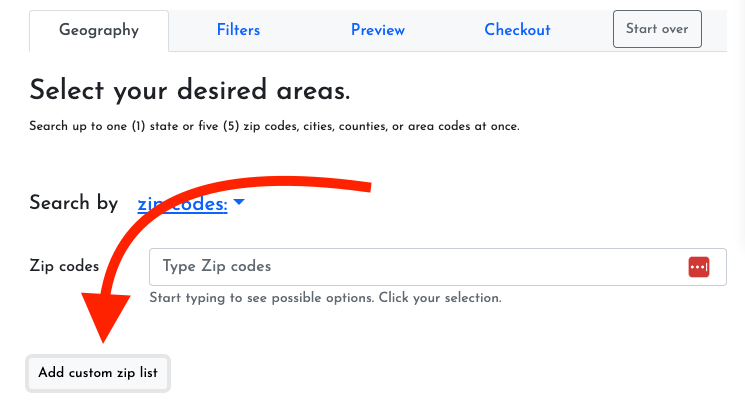
We're so excited to announce that you can now add custom Zip code lists to ListShack! Whenever you are searching a database by Zip code, you'll see a small gray button call "Add custom zip list".
Click that button and you can paste you Zip List right into the text box. Then click "Add Zip List" to add it to your search. Here are a couple of tips and tricks for this feature:
You can paste zip lists from almost any kind of document like Excel Separate your zip codes with a space, comma, new line, or tab
Only use the 5 digit zip code like "84606". Don't use the 9 digit zip. Pay attention to your zip codes that start with "0". Excel will often convert zip codes to numbers and then remove the "0", so it's only four digits long. If you are having that issue, open your .csv file with a text editor like NotePad on Windows or TextEdit on Mac.
You can do lots of Zip codes at once (even though it recommend 5 on the page)
Create a List on ListShack
Read instructions and watch a short video to learn how to use ListShack to create a new marketing list
ReadAdd and Manage Team Members
Add and manage team members and sub accounts to your ListShack account.
ReadFind and Remove Duplicates from Lists using ListCRM
We're so excited to announce that you can find and remove duplicates from your lists in ListCRM
ReadHow to upload data to ListCRM
Upload data from any CSV file to ListCRM by clicking the "Upload" button on the top of the page from any list. Don't have a list? Create a new one.
Read